Our Blog
NEET UG 2026 Refund: NTA Extends Final Window to Update Bank Details till July 7

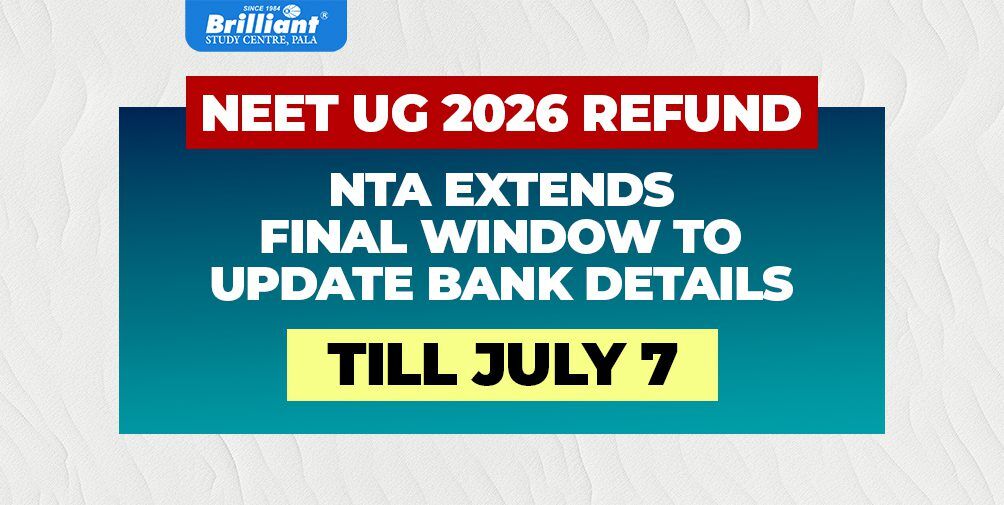
Meta Description: Missing your NEET UG 2026 exam fee refund? The National Testing Agency (NTA) has extended the deadline to confirm or update your bank account details until July 7, 2026. Follow our step-by-step guide to secure your refund safely.
The National Testing Agency (NTA) has issued an important update for all medical aspirants who registered for the NEET (UG) 2026 examination. If you have been waiting for your examination fee refund following the cancellation of the NEET (UG) 2026 exam initially scheduled for May 3, 2026, this is your absolute final opportunity to make things right.
With a recent public notice, the NTA has officially extended the deadline for candidates to view, confirm, correct, or update their bank account details on the dedicated refund portal. Here is a comprehensive breakdown of the notice, including key dates, a step-by-step guide, and vital security advisories to ensure your refund lands safely in your account.
Quick Answer: What You Need to Know
- Extended Deadline: The final date to update bank details is July 7, 2026, up to 11:50 P.M.
- Who Needs It: Candidates who missed the previous window or entered incorrect IFSC/account numbers.
- Actions Available: You can confirm existing details, add new ones, or change your “No Refund” status.
- Security: The portal requires OTP-based Two-Factor Authentication (2FA).
- Portal Link: All updates must be made exclusively on https://neet.nta.nic.in/.
Why Has NTA Reopened the Refund Window?
To give you a quick back-story: the NTA previously committed to refunding the examination fees for all candidates due to the cancellation of the May 3, 2026 exam. A correction window was briefly opened alongside the release of the Admit Cards for the re-examination (which was successfully conducted on June 21, 2026, for approximately 20 lakh candidates).
However, because most students were completely focused on downloading their admit cards and prepping for their papers, a small number of candidates missed updating their details. Furthermore, several candidates made incorrect entries regarding their bank account numbers and IFSC codes, while others who initially opted for “No Refund” requested to change their minds. To ensure no applicant is inconvenienced and everyone gets a fair chance, the NTA has extended the deadline.
Key Deadlines & Schedule for NEET UG 2026 Refund
Make sure to mark your calendar so you don’t miss this final extension:
| Event | Timeline / Details |
|---|---|
| Initial Correction Window Opened | 25 June 2026 |
| Extended Closing Date & Time | 7 July 2026 (up to 11:50 P.M.) |
| Official Portal for Login | https://neet.nta.nic.in/ |
Note: NTA is currently working on finalizing the results for the June 21 exam, which will be declared at the earliest. However, completing this refund process promptly requires full cooperation from all candidates to ensure timely disbursements.
What Actions Can You Take on the Portal?
When you log into the NTA portal, you will be presented with your previously submitted banking details. You can choose one of the following three options based on your situation:
Confirm Correct Details
If the displayed Bank Account Number and IFSC code are 100% correct, simply tick the checkbox to confirm you want to receive your refund in that account.
Update or Fresh Submission
If your details are incorrect, or if they were never submitted during the previous window, you can enter your updated financial details afresh.
Opt-Out / Change Opt-Out
If you do not want to claim a refund, select “No Refund”. If you previously chose “No Refund” but now want your money back, you can safely revise your option.
Step-by-Step Guide to Update Your Bank Details
To guarantee that your transaction goes through smoothly, follow this precise step-by-step framework:
- Visit the official NEET portal at https://neet.nta.nic.in/.
- Click on the active link designated for “Bank Account Details Confirmation/Updation”.
- Log in securely by entering your Application Number and Password.
- Complete the mandatory OTP-based Two-Factor Authentication (2FA) sent to your registered mobile number.
- Click on the bank account details button on your screen.
- To Confirm: Tick the checkbox and click the “Confirm bank details” button.
- To Update: Click the “click here” link, then carefully fill in the Beneficiary Name, Bank Account Number, Re-enter Bank Account Number, Bank Name, and IFSC Code.
- Optional but Recommended: Upload a scanned copy of a cancelled cheque or the first page of your bank passbook (clearly showing the account number and IFSC code) to ensure absolute accuracy.
- Click Submit. Once you click submit after the 2FA process, these details will be treated as final and immutable.
Important NTA Advisory: Avoid Costly Mistakes
- Strict Account Ownership: Ensure that the bank account you provide is active and stands in your name, your parents’ names, or is a joint account including the candidate.
- Accuracy is Solely Your Responsibility: The refund will be processed strictly using the details you provide. NTA will not be held responsible if your refund is credited to a wrong account due to incorrect or unverified student entries.
- Beware of Scams: Keep your login credentials, passwords, and OTPs completely private. The NTA will never call or text you asking for your passwords or financial OTPs.
- No Extensions After July 7: Any requests for alterations or updates received after 11:50 P.M. on July 7, 2026, will strictly not be entertained.
Frequently Asked Questions
When is the last date to update bank details for NEET UG 2026 refund?
The final deadline to confirm, correct, or update your bank account details is July 7, 2026, up to 11:50 P.M.
Whose bank account can I provide for the refund?
The active bank account must be in the name of the candidate, their parents, or it must be a joint account that includes the candidate’s name.
How can I contact the NTA if I need help?
If you experience technical difficulties, you can contact the official NTA Help Desk at 011-40759000 or 011-69227700, or send an email to [email protected].
Don’t Miss the Final Extension
Log in now to confirm your details and ensure your refund is processed without delay.
One response to “NEET UG 2026 Refund: NTA Extends Final Window to Update Bank Details till July 7”
Leave a Reply
Related Blogs


Neet refund